When processing a TS file with TS File Demux a file named sectionreport.csv is created in output directory. This file contains various statistics about sections found in stream. Starting from TS File Demux V2.2.11 a new field, table_id, has been added to this file. This field contains a list of unique table_id's found in section stream. Sometimes this information can be useful, especially for streams containing multiple types of tables.
Below is an example of sectionreport.csv file after processing a DVB TS file.
It can be seen that PID 17 (0x11) contains SDT actual transport stream (0x42) and SDT other transport stream (0x46) tables.
PID 18 (0x12) contains various types of EIT tables.
PID 20 (0x14) contains TDT and TOT tables.
PID 48 (0x40) is a CA EMM stream containing table_id's 0x82 and 0x84 tables.
PID 102 (0x66) is a CA ECM stream containing table_id's 0x80 and 0x81 tables.
PID 8001 (0x1f41) contains a DSM-CC carousel. Table_id 0x3b is userNetworkMessage and table_id 0x3c is downloadDataMessage.
You can open the sample sheet here https://docs.google.com/spreadsheet/ccc?key=0AlzKD8F--RuTdDNrUFpSY0lMWkpxWG1lTTJZaUotTnc&usp=sharing
Thursday, 6 February 2014

Tuesday, 23 July 2013
Decoding of DSM-CC BIOP messages
DVBStreamExplorer V4.0.3 has just been released. Now with DSMC-CC BIOP message decoding in DVB TS Monitor (professional edition only).
Until now DSM-CC analyser would show raw data of Data Carousel modules in one tab and the Object Carousel file system hierarchy in another tab. Starting from DVBStreamExplorer V4.0.3 decoding of BIOP messages is now shown for each module in Data Carousel. The information in BIOP messages is used to build the file system in Object Carousel.
In screenshot below is shown decoding of Service Gateway.

In screenshot below is shown decoding of a file object.

Until now DSM-CC analyser would show raw data of Data Carousel modules in one tab and the Object Carousel file system hierarchy in another tab. Starting from DVBStreamExplorer V4.0.3 decoding of BIOP messages is now shown for each module in Data Carousel. The information in BIOP messages is used to build the file system in Object Carousel.
In screenshot below is shown decoding of Service Gateway.

In screenshot below is shown decoding of a file object.

Sunday, 23 June 2013
DVBStreamExplorer WS export online test service
If you have ever wanted to test DVBStreamExplorer export to WS features but gave up because of the hassle of creating a web service, then check out http://www.jensvaaben.com/dvbsewstest/.
It will allow you to export directly from DVBStreamExplorer to a live web service. Afterwards you can view the data that you have exported. Detailed instructions on http://www.jensvaaben.com/dvbsewstest/.
It will allow you to export directly from DVBStreamExplorer to a live web service. Afterwards you can view the data that you have exported. Detailed instructions on http://www.jensvaaben.com/dvbsewstest/.
Saturday, 2 February 2013
TS File Demux split PES/ES files on continuity error
TS File Demux V2.1.8 has just been released. A new feature has been introduced that will allow PES/ES files to be split whenever a continuity error is detected in TS packet.

In previous version you could end up with PES/ES files with missed packets due to continuity error in TS packet.
It might be desirable to produce PES/ES files without missed packets. The new feature will split PES/ES files every time continuity error is detected in TS packet for the PID in question. A new file will be created with name derived from the base name of PES/ES file and .001, .002 etc appended.
Below is shown a screenshot below of output folder where split PES files have been created.

NOTE:

In previous version you could end up with PES/ES files with missed packets due to continuity error in TS packet.
It might be desirable to produce PES/ES files without missed packets. The new feature will split PES/ES files every time continuity error is detected in TS packet for the PID in question. A new file will be created with name derived from the base name of PES/ES file and .001, .002 etc appended.
Below is shown a screenshot below of output folder where split PES files have been created.
NOTE:
- Only TS packet header is decoded in order to detect continuity errors. Content of PES/ES packet is not decoded and/or analyzed in any way.
- This option can cause an excessive number of files to be created in output folder if there are a lot of continuity errors in TS file.
Friday, 1 February 2013
DVBStreamExplorer V4.0 configuration changes
Introduction
A new feature in DVBStreamExplorer V4.0 is the ability to run multiple instances. This feature is described in following blog post: Running multiple instances of DVBStreamExplorer. Introduction of this feature has some effect on how DVBStreamExplorer handles configuration and logging compared to DVBStreamExplorer V3.0.
Configuration
In DVBStreamExplorer V3.0 all configuration data, excpet for MUX lists, was stored globally while MUX lists were stored in context of the selected device.
With the introductiion of multiple running instances this was not pratical since changes made in one running instance would affect configuration in another running instance.
As a consequence all configuration is now stored in the context of selected device. This has the negative side effect that all custom configuration done must be applied for each device that you are using with DVBStreamExplorer. However that would seem a reasonable price to pay for the ability to run multiple instances of DVBStreamExplorer.
With the introductiion of multiple running instances this was not pratical since changes made in one running instance would affect configuration in another running instance.
As a consequence all configuration is now stored in the context of selected device. This has the negative side effect that all custom configuration done must be applied for each device that you are using with DVBStreamExplorer. However that would seem a reasonable price to pay for the ability to run multiple instances of DVBStreamExplorer.
Logging
When options preferences window is opened following will show.

Here the logging folder is shown. In DVBStreamExplorer V3.0 log files are saved in the root of this folder. In DVBStreamExplorer V4.0 log files are saved in subfolders of this folder. Each subfolder is created at run-time with a name derived from process ID of running DVBStreamExplorer instance. A negative side effect is that these subfolders with content are left behind and accumulate used disk space over time. This issue will be addressed in a future release. Until then it is advised to clean up log folder from time to time. Note that log files are not really targeted application user. They are intended to be used by DVBStreamExplorer author to troubleshoot any issues found.

Here the logging folder is shown. In DVBStreamExplorer V3.0 log files are saved in the root of this folder. In DVBStreamExplorer V4.0 log files are saved in subfolders of this folder. Each subfolder is created at run-time with a name derived from process ID of running DVBStreamExplorer instance. A negative side effect is that these subfolders with content are left behind and accumulate used disk space over time. This issue will be addressed in a future release. Until then it is advised to clean up log folder from time to time. Note that log files are not really targeted application user. They are intended to be used by DVBStreamExplorer author to troubleshoot any issues found.
Thursday, 24 January 2013
Running multiple instances of DVBStreamExplorer
When DVBStreamExplorer V3 is launched and another instance is already running one is faced with message below.

This limitation has been removed in DVBStreamExplorer V4 which has just been released.
Below is a screenshot from a Windows desktop where two instances of DVBStreamExplorer are running. One instance is scanning DVB-T data from a Cinergy HTC USB XS DVB-T Tuner and the other is scanning DVB-S data from TBS5925 DVB-S2 TV Tuner USB.
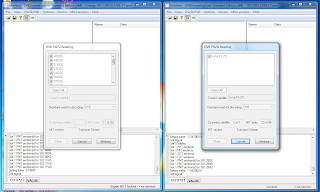
As a convenience DVBStreamExplorer application window title bar now includes name of capture device.

This limitation has been removed in DVBStreamExplorer V4 which has just been released.
Below is a screenshot from a Windows desktop where two instances of DVBStreamExplorer are running. One instance is scanning DVB-T data from a Cinergy HTC USB XS DVB-T Tuner and the other is scanning DVB-S data from TBS5925 DVB-S2 TV Tuner USB.

As a convenience DVBStreamExplorer application window title bar now includes name of capture device.
Monday, 31 December 2012
Decoding user defined Nordig, DTG (D-Book) and IEC 62216 (E-Book) descriptors
Next version of DVBStreamExplorer will include the option to select which syntax to be used for decoding of user defined (0x80 - 0xFE) descriptors.
This is of special interest with regards to Logical Channel Number descriptors which are defined in each of the above standards except for EN 300 468. While the syntax is very similar in the standards, there are minor differences regarding the allocation of bits for each field.
The standard to be used for decoding can be selected in DVB PSI/SI / Multiple DVB-S/T/C MUX scanning window before starting scan operation. See screenshot below.

On SI scan completion you can switch to service view. A new 'lcn' column has been added. A value of -1 means that there was no LCN descriptor applicable for service. See screen shot below.

LCN information is also shown for each service found in MUX in DVB TS Monitor. Like for for SI scanning the syntax to be used for decoding has to be selected before starting scan operation. See screenshot below.

Finally LCN information has also been added as a new field to the CVS export of service information.
While LCN descriptor is probably the one of most interest, other user defined (0x80 - 0xFE) descriptors will also be decoded. You will find these in the various descriptor loops of decoded sections.
Follow +DVBStreamExplorer to keep up to date with DVBStreamExplorer related news.
The standard to be used for decoding can be selected in DVB PSI/SI / Multiple DVB-S/T/C MUX scanning window before starting scan operation. See screenshot below.

On SI scan completion you can switch to service view. A new 'lcn' column has been added. A value of -1 means that there was no LCN descriptor applicable for service. See screen shot below.

LCN information is also shown for each service found in MUX in DVB TS Monitor. Like for for SI scanning the syntax to be used for decoding has to be selected before starting scan operation. See screenshot below.

While LCN descriptor is probably the one of most interest, other user defined (0x80 - 0xFE) descriptors will also be decoded. You will find these in the various descriptor loops of decoded sections.
Follow +DVBStreamExplorer to keep up to date with DVBStreamExplorer related news.
Subscribe to:
Posts (Atom)